 Smart Mileage Tracker
Smart Mileage Tracker · automatic mileage log for iPhone Drive. Park.
The trip is already logged.
Smart Mileage Tracker is an app for iPhone that automatically detects your drives and keeps a mileage log for tax deductions, with business, medical and charity trips priced at the IRS standard mileage rate. It is free to download, automatic tracking is unlimited and free, there is no account and no subscription, and your trips are stored on your iPhone.

Free to download · No account · No subscription
Smart Mileage Tracker at a glance
- Price: free to download. Automatic tracking is unlimited and free. No account, no subscription.
- Platform: for iPhone, iOS 17.6 or later. Available on the US and Canada App Stores, in English.
- What it records: the date, times, start and end addresses, distance and route of each drive it detects. You can add a business purpose, notes and odometer readings.
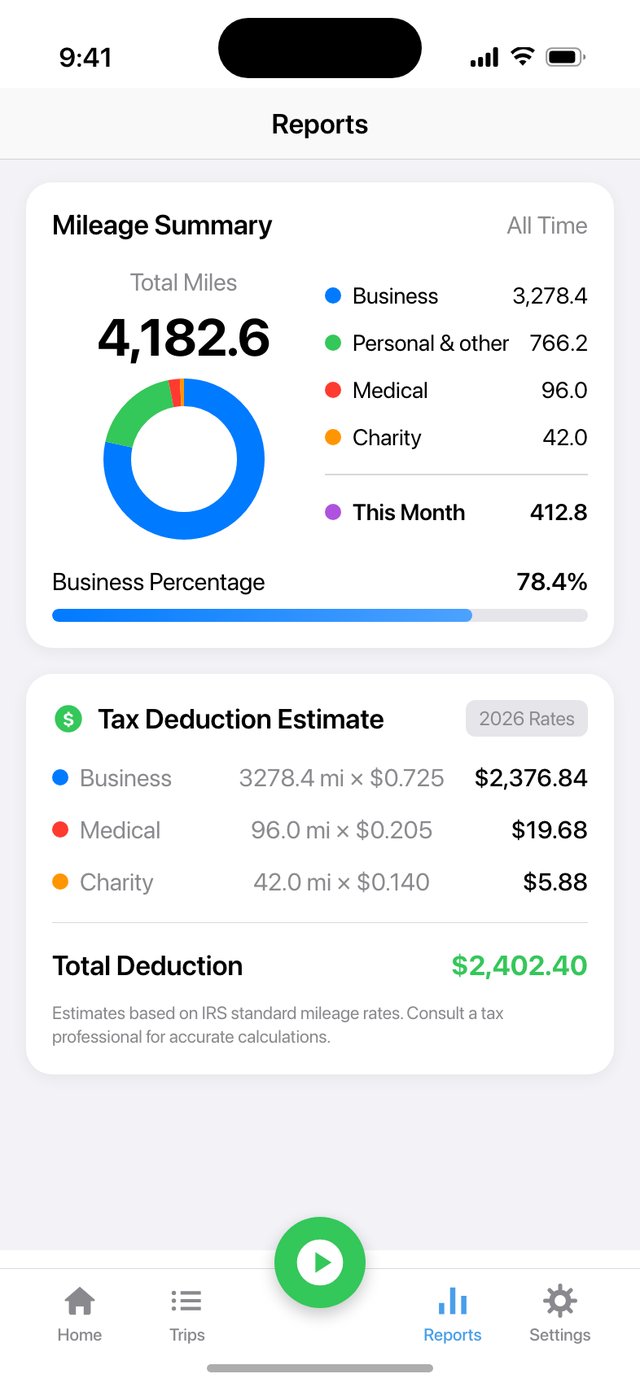
- Rates: by default, business, medical and charity miles are priced at the IRS standard mileage rate in effect on each trip's date (built-in rates cover 2023 through 2026). For business miles in 2026 that is 72.5 cents a mile through June 30 and 76 cents from July 1 (IRS standard mileage rates).
- Output: a CSV or PDF for the dates you choose, and a Year-End Tax Package.
- Where your trips are kept: in a database on your iPhone. To show street addresses, the app sends trip coordinates to Apple's Maps service.
- Made by an independent developer. On the App Store since June 2025.
Updated October 7, 2026
Nothing. Trips start and stop on their own.
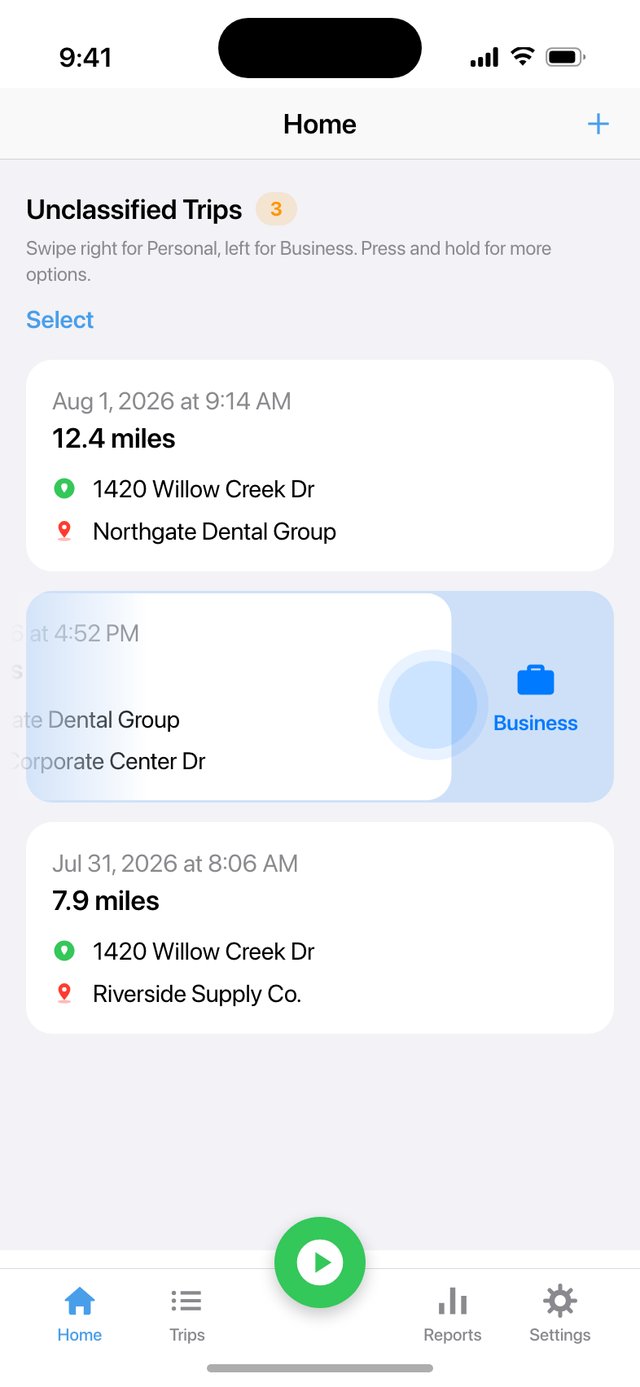
Swipe. Left for Business, right for Personal.
Export. A CSV, a PDF, or a full Year-End Tax Package.
Business, medical and charity miles, priced at the IRS rate.
For example: skip 20 business miles a day, five days a week, and that is 5,200 miles a year. At 76 cents a mile, the IRS business rate since July 1, 2026 (72.5 cents before that), 5,200 miles comes to about $3,950 of deduction.
- Pick a purpose and the value appears: "Estimated deduction: $8.92"
- The Trips tab totals whatever you filter — count, distance, total deduction
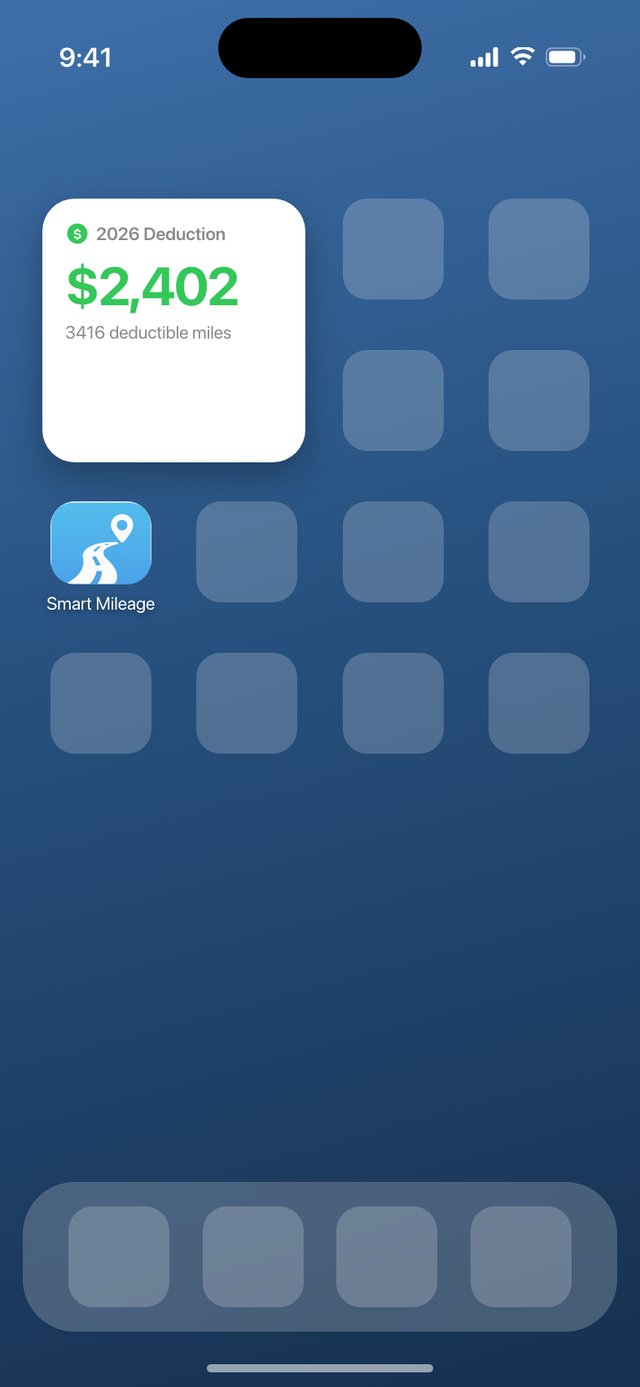
- A Home Screen widget keeps your year-to-date deduction in view
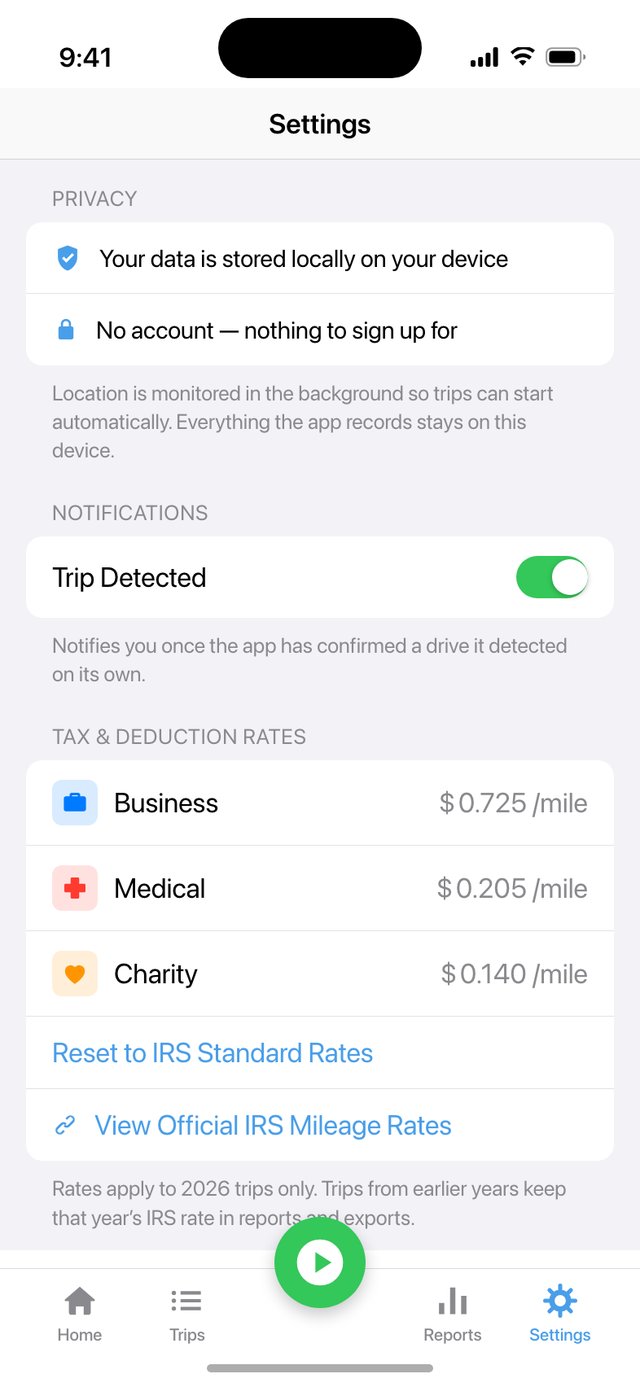
- Business, Medical and Charity miles are each priced at their IRS rate
- By default each business, medical or charity trip is priced at the IRS rate in effect on its date (built-in rates cover 2023 through 2026)
Deduction figures are estimates based on IRS standard mileage rates and are not tax advice. Screens show sample data. Medical mileage is deductible only if you itemize, and only to the extent your total medical expenses exceed 7.5% of adjusted gross income (IRS Publication 502).
You drive. It logs.
Detection you can see: filtered noise and a visible auto-stop.
- Motion & Fitness data is used to tell driving from walking, so a walk across the lot is less likely to be filed as a drive
- Start points are backdated and end times trimmed to where you parked
- Auto-stop is visible and cancelable: a countdown with a Cancel button
- And if the app was asleep during a drive, optional Missed-Trip Recovery can rebuild it afterward from the places your iPhone recorded — marked as an estimate, without a route, for you to check
Classify without unlocking.
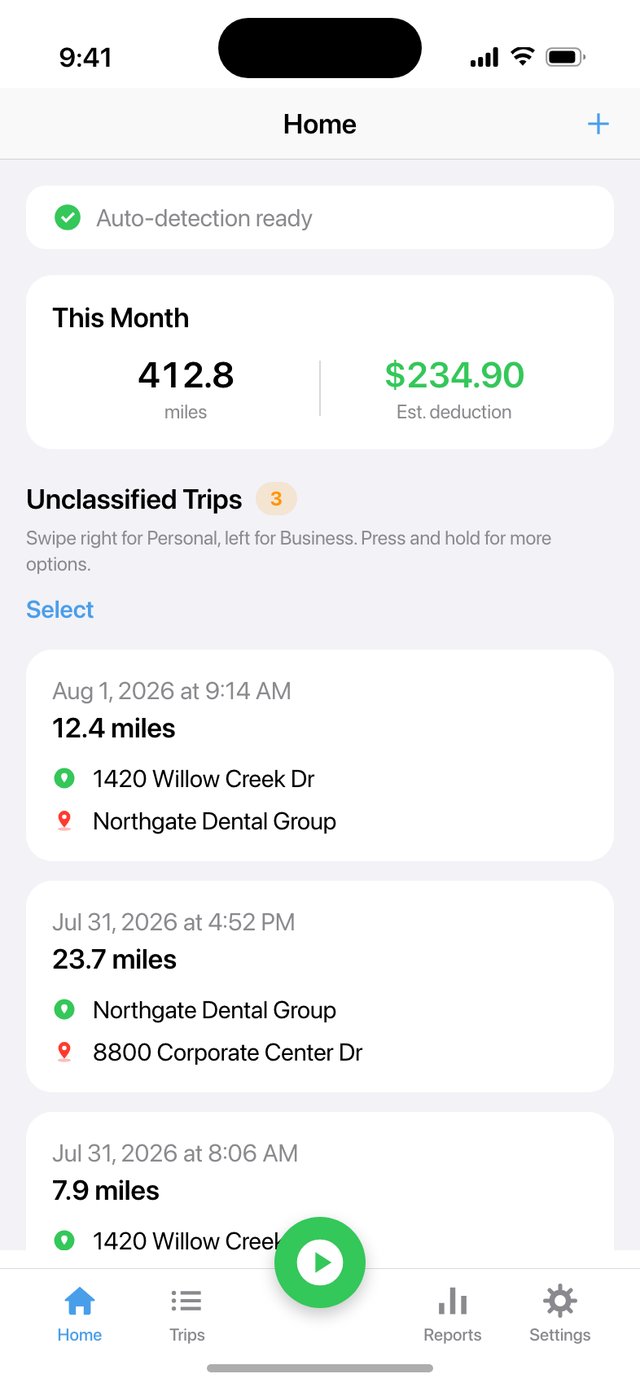
Every finished drive is one gesture away from filed.
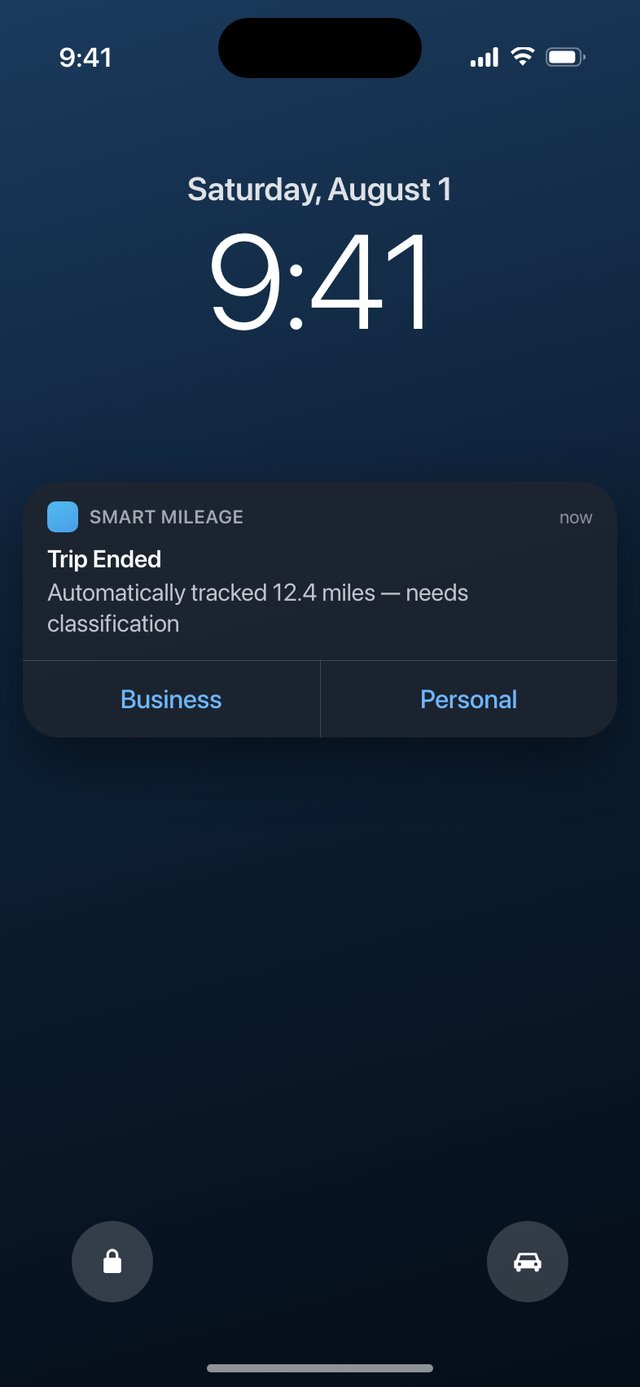
- Swipe a trip left for Business, right for Personal — long-press for Medical, Charity or Other
- Select several at once and see what each choice is worth first: Business ≈ $28.35 · Medical ≈ $8.02 · Charity ≈ $5.48
- Classify straight from the Trip Ended notification, without opening the app
- Or let rules do it: saved places carry their own category, and work hours can file trips as Business
Screens show sample data.
The details of each drive it detects.
Date, distance, route and addresses are recorded on every drive it detects. You add the business purpose, and the export lists each trip with its date, distance, addresses and purpose.
- Business Purpose has its own field and is included in the CSV and PDF exports
- Optional start and end odometer readings on any trip, alongside GPS distance
- Export CSV or PDF for any range: all time, a year, recent months, or custom dates
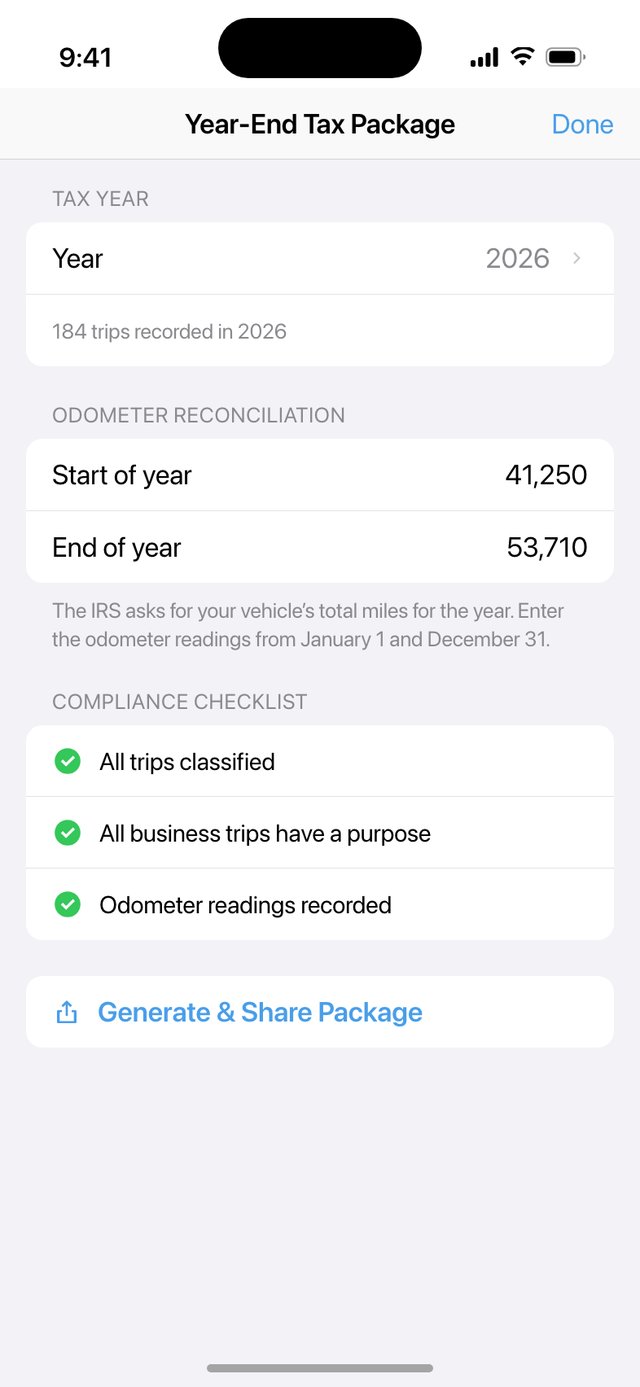
- The Year-End Tax Package builds a per-trip CSV, a summary PDF and a plain-text summary in one step
- A pre-filing checklist names the gaps: unclassified trips, business trips missing a purpose, missing odometer readings
No account. Trips stored on your iPhone.
A mileage log is a map of your life. This one is stored on your iPhone, not on a server of ours.
- No account, no sign-in, no subscription, no trip limit
- Your trips are stored in a database on your iPhone; there is no account and no server of ours for them to be uploaded to
- Street-address lookups send trip coordinates to Apple's Maps service; the log itself is stored on your iPhone
- Back up every trip to a JSON file you own, and restore it from the file picker
- Miles or kilometers across the app, with mph or km/h for speed
This website uses no cookies, no analytics and no trackers. Read the privacy policy.
Mileage tracking for taxes, answered.
How do I track mileage for taxes?
The IRS publishes standard mileage rates. For car expenses, Table 5-1 of IRS Publication 463 lists records showing, among other things, the mileage for each business use, the total miles for the year, the date, your business destination and the business purpose. Smart Mileage Tracker records the date, route, distance and addresses of each drive it detects, gives Business Purpose its own field, and exports the log as a CSV or PDF.
Does automatic mileage tracking drain my battery?
Smart Mileage Tracker uses your location in the background so drives can be detected automatically, and background GPS does use some battery. You can limit automatic tracking to when your iPhone is plugged in.
Is Smart Mileage Tracker really free?
It is free to download, automatic tracking is unlimited and free, and there is no account and no subscription. If paid extras ever arrive, they will be a one-time purchase, never a subscription.
Which drives have an IRS mileage rate?
The IRS publishes standard mileage rates for business, medical and charitable driving, and by default Smart Mileage Tracker prices all three at the IRS rate in effect on the date of each trip (built-in rates cover 2023 through 2026). Driving between home and a regular place of work is commuting and is not deductible (IRS Publication 463). IRS Notice 2026-10 says unreimbursed employee travel expenses can't be claimed as a miscellaneous itemized deduction; the Notice names a few groups who can still deduct them in figuring adjusted gross income. Medical mileage is deductible only if you itemize, and only to the extent your total medical expenses exceed 7.5% of adjusted gross income (IRS Publication 502).
Deduction figures in the app are estimates, not tax advice; confirm your situation with a tax professional.
Where does my trip data go?
Your trips are stored in a database on your iPhone. There is no account and no server of ours for them to be uploaded to. To show street addresses, the app sends trip coordinates to Apple's Maps service. You can back up your trips to a file you own. Privacy policy.
Every drive you forget is a mile missing from your log.
Put the log on autopilot today.
Free to download · No account · No subscription